A thoughtful gaming gift can fit the way someone plays, whether they spend evenings at a desk, stream for friends, or enjoy a cinematic setup at home.
These eight ideas cover useful upgrades at several levels, from everyday controls to larger changes for a dedicated entertainment space.
8 Gift Ideas for Gamers
SteelSeries Apex Pro TKL Gaming Keyboard

- Adjust per-key actuation to tailor how keys respond.
- Program two actions on a single key.
- The tenkeyless layout has full-size functionality.
Best Gift For: A PC gamer who likes to customize key response for different games.

SteelSeries Rival 5 Gaming Mouse

- The programmable layout has nine buttons.
- Five side buttons provide quick actions.
- Its optical sensor uses one-to-one tracking.
Best Gift For: A player who switches among several fast-paced game genres.
SteelSeries Arctis Nova 5 Wireless Gaming Headset
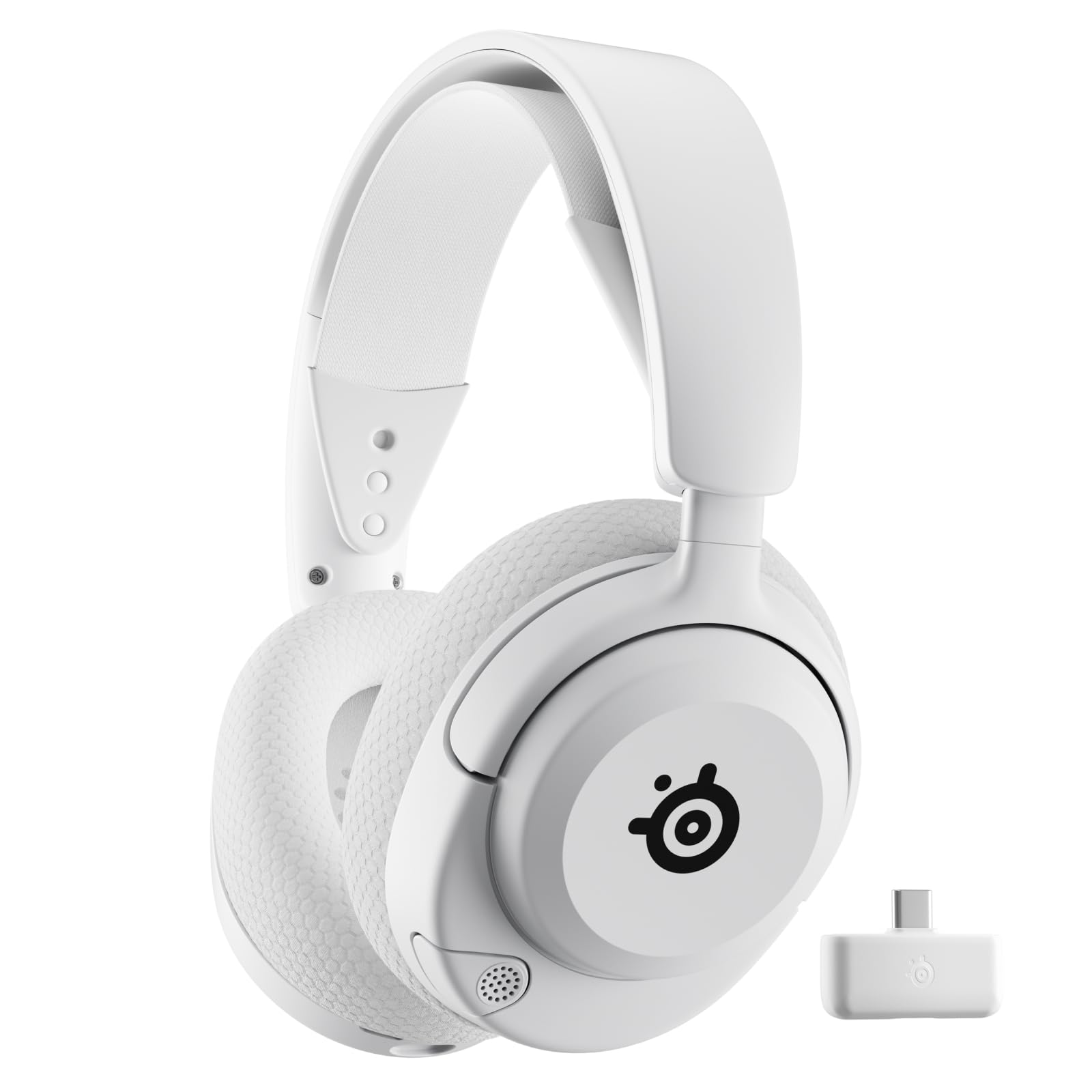
- Switch between wireless gaming and Bluetooth with a button tap.
- Choose from tailored audio presets for games.
- Recharge over USB-C for six hours of use in 15 minutes.
Best Gift For: A gamer who plays across supported consoles, computers, or mobile devices.
FIFINE AmpliGame AM8W XLR/USB Gaming Microphone

- Connect through USB or XLR.
- Use the tap-to-mute control and gain knob.
- Change the RGB lighting with its button when using USB.
Best Gift For: A gamer who streams, records voiceovers, or makes podcasts.
Audioengine A2+ Wireless Computer Speakers

- Use the speakers for desk listening across games and media.
- Stream wirelessly from a phone, tablet, or computer.
- Connect through USB-C, RCA, or 3.5mm AUX inputs.
Best Gift For: A desktop gamer who also listens to music or joins video calls at their desk.
TP-Link Archer AXE75 WiFi 6E Router

- The tri-band router supports simultaneous browsing, streaming, and gaming.
- The 6 GHz band adds bandwidth for supported devices.
- OneMesh support can pair with a TP-Link OneMesh extender.
Best Gift For: A gamer looking to refresh a home network used for gaming and streaming.
HUANUO FlowLift Dual Monitor Stand

- The arms support compatible screens from 13 to 32 inches.
- The mount offers full-motion adjustment.
- Built-in cable guides help keep cords out of the way.
Best Gift For: A gamer who uses two compatible monitors and wants to clear desk space.
Valerion VisionMaster Pro2 Triple Laser Projector
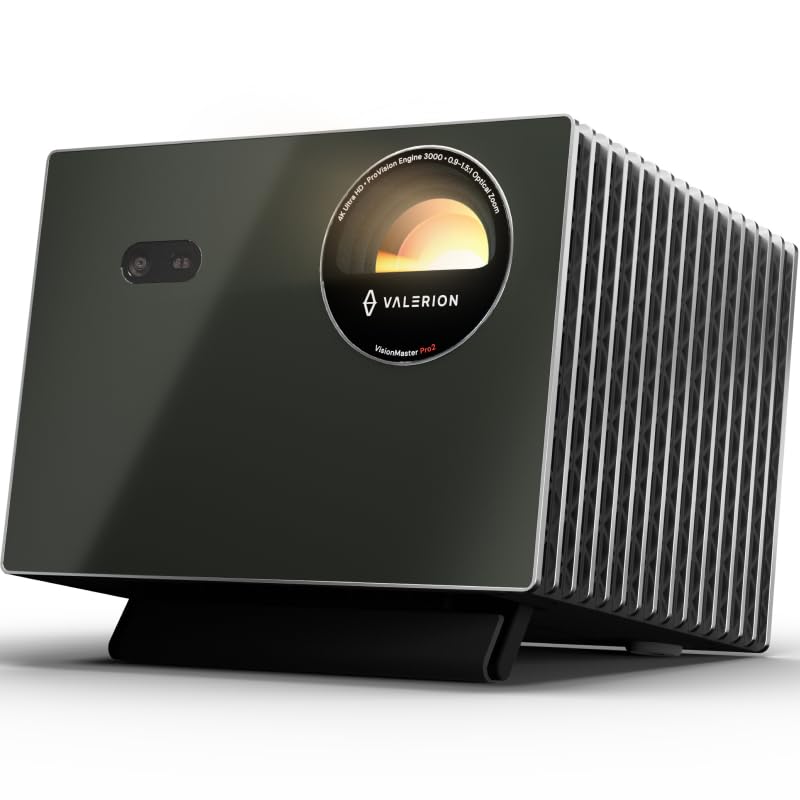
- The projector offers 4K UHD clarity.
- Its gaming mode supports 4ms input lag.
- Focus and keystone correction adjust the picture for a room.
Best Gift For: A gamer planning a large-screen entertainment setup for games and movies.
1. Match Gifts for Gamers to How They Play
When choosing gifts for gamers, start with the recipient’s actual routine: competitive matches at a desk, cooperative sessions across devices, or a living room game night. A small control upgrade can suit someone who already has a settled setup, while a screen or network change calls for more planning.
Think about what creates friction in their current space. Someone who juggles game chat and phone calls may appreciate a headset with quick wireless switching; a player who shares a desk may value clearer audio or more usable surface area.
A gift tied to a real habit is easier to enjoy than a flashy accessory chosen at random.
If you are unsure what they own, ask a friend or family member who plays with them, or choose something that complements rather than replaces existing gear. Keep the packaging or gift receipt handy when compatibility depends on their current devices, monitor, desk, or connection.
2. Balance the Budget with the Setup
Gaming gifts span from modest desk additions to major entertainment equipment. Decide on a comfortable budget first, then think about whether a focused upgrade would solve one annoyance or whether the recipient has already mentioned a bigger project.
A useful gift does not need to transform the whole room.
Before buying, check actual prices and the details of the exact model. Compare the features that matter to the recipient, such as connection type or screen arrangement, and avoid paying for capabilities they are unlikely to use.
If several people are contributing, pooling funds can make a larger shared gift more practical.
For expensive equipment, consider whether the recipient has room and time to incorporate it. Check dimensions, compatibility, and any additional components required for their setup.
A thoughtful contribution toward a planned upgrade can be more welcome than a surprise that leaves them reorganizing the room.
3. Personalize Gifts for Gamers
Personal details make gifts for gamers feel chosen for a person rather than a category. Think about their preferred game genres, the colors and style of their setup, and whether they play alone, with friends, or while streaming.
Those clues help narrow a broad field of accessories to something that fits their habits.
Presentation can make a practical gift feel special. Pair a desk accessory with a handwritten note about a favorite shared match, or wrap a larger item with a small snack for their next gaming evening.
For a group gift, invite each person to add a short message or memory instead of adding unrelated extras.
If the gift depends on a personal preference, give the recipient room to make the final choice. A card explaining that you want to contribute to a keyboard, audio, or room upgrade lets them select the exact fit while keeping the occasion warm and personal.
4. Choose a Gift They Can Set Up
Setup matters for gaming gear. Before ordering, check current product details, compatibility with the recipient’s devices, available desk or shelf space, and whether the gift needs cables or other equipment.
For monitor furniture, measure the desk and confirm the existing screens can be mounted; for network equipment, consider the home’s current internet setup.
A gift is easier to enjoy when the recipient can install it without disrupting their routine. If you are choosing something that changes a desk or living room, quietly confirm there is space and that the household is comfortable with the change.
Keep the box until they have had a chance to check the fit.
For a surprise, a discreet question about their setup can prevent a mismatch. Ask which systems they use or whether they have room for another device, without revealing the exact gift.
If the answer is uncertain, choose a flexible accessory or include a gift receipt.
5. Last-Minute Gaming Gift Advice
For a last-minute purchase, prioritize easy-to-understand gifts and confirm the delivery estimate at checkout. Availability and arrival dates can change, so avoid promising a particular date until it is confirmed.
If timing is tight, a printed note with a clear plan for the gift can make the occasion feel intentional.
Check the seller’s return terms and keep order details accessible in case the recipient needs a different model. Verify that the selected variant is the one you intended, especially where color, connection type, or size changes the fit.
A quick review before checkout can save a frustrating exchange later.
You can also make a digital or delayed gift feel complete with a simple presentation: wrap a small accessory, include a personal message, and explain when the larger item is expected only after the delivery estimate is confirmed. Focus on the gaming sessions or shared moments the gift will support, not on how quickly it arrived.