The Phomemo M110 Label Printer is a compact thermal printer aimed at small businesses, retail work, and everyday labeling.
Its three included label sizes and app-based design tools make it worth considering if you want to create product labels, addresses, or barcodes from a phone.
Phomemo M110 Review Summary
The quick verdict
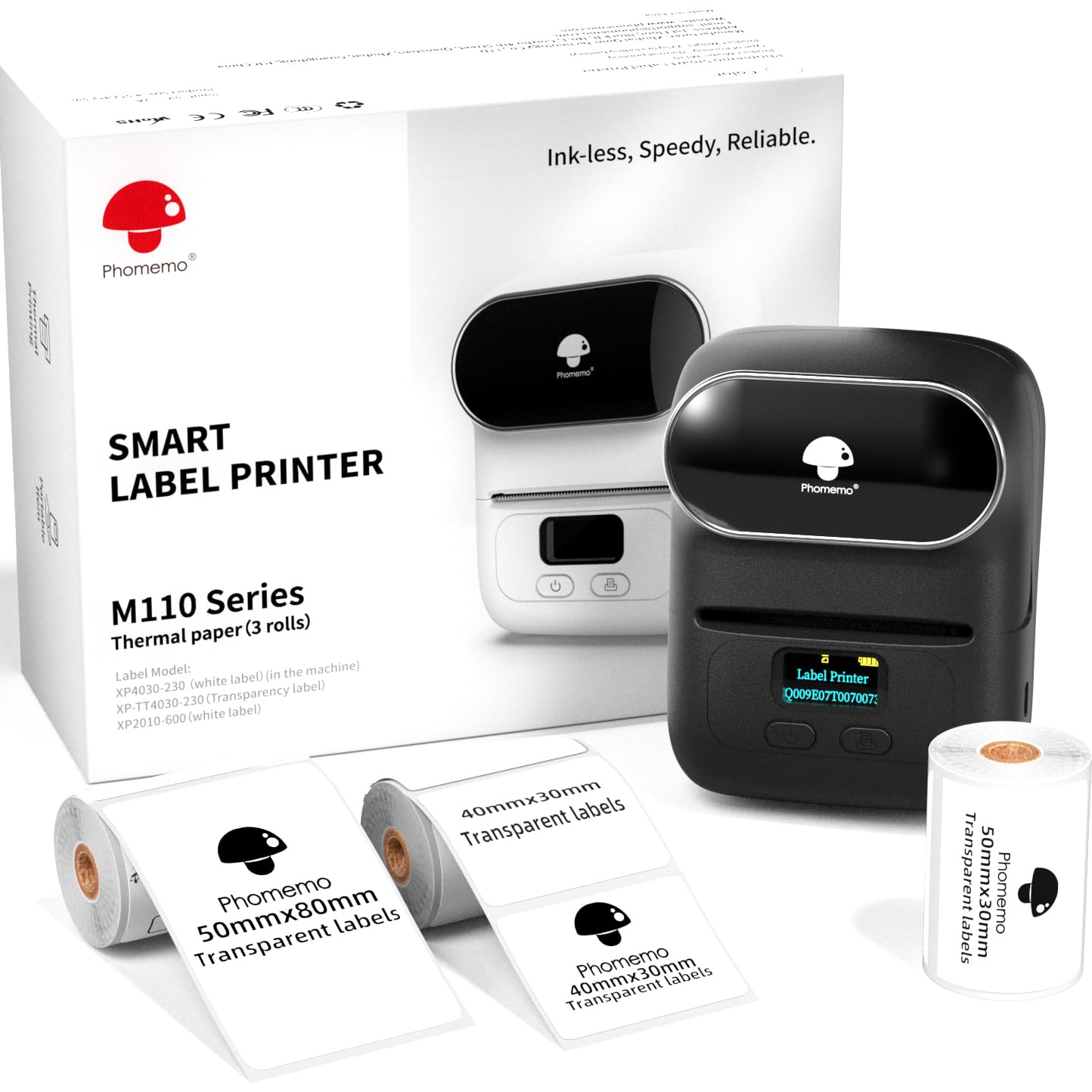
1,000+ ratings
Read Amazon ReviewsPhomemo M110 Label Printer
A portable thermal label printer for small businesses and home users who need flexible labels, barcodes, and batch printing from a phone.
- Three included label sizes: 40 × 30 mm, 50 × 30 mm, and 50 × 80 mm.
- Prints labels 20–50 mm wide and up to 80 mm long.
- Supports text, pictures, QR codes, and barcodes, with batch printing available.
- Print Master offers ready-made templates, saved custom templates, more than 30 fonts, 500 emojis, and 40 borders.

Pros
- Three label sizes give buyers a practical starter selection for comparing label formats.
- The supported label width and length accommodate a variety of compact product and organization labels.
Consider before buying
- The printer must be connected through Print Master; pairing it directly in Bluetooth settings can cause connection failure.
- The maximum label dimensions make it a poor match for buyers who need larger shipping labels.
Read the full review summary
The M110 combines a portable printer with three label sizes—40 × 30 mm, 50 × 30 mm, and 50 × 80 mm—so you can try different formats for product, price, address, or ingredient labels.
It prints text, images, QR codes, and barcodes on labels from 20 to 50 mm wide and up to 80 mm long, covering a range of compact labeling jobs.
Print Master provides templates and editing tools, including more than 30 fonts, 500 emojis, and 40 borders. Batch printing, OCR, and a stated four-hour continuous working time add useful workflow options.
The key buying consideration is that setup depends on connecting through the app: Bluetooth must be enabled, and the printer should be selected in Print Master rather than paired directly in the device settings.
The buying factors
Phomemo M110 Scorecard
Editorial scores reflect listed features and buyer fit; they are not laboratory measurements or customer ratings.
Label-size flexibility
The stated 20–50 mm width range and maximum 80 mm length support several compact label formats.
Included label variety
Three supplied sizes let buyers compare formats for different labeling tasks.
Design tools
Print Master includes templates, fonts, emojis, and borders, plus custom template saving.
Small-business usefulness
Barcode, QR code, price, product, and address label options suit common small-business tasks.
Batch workflow
Batch printing is supported, with a stated speed of 1.2 inches per second.
Setup simplicity
App-based Bluetooth setup is straightforward once understood, but requires connecting from Print Master rather than device settings.
Key Features and Specifications of Phomemo M110
- Three included label sizes: 40 × 30 mm, 50 × 30 mm, and 50 × 80 mm.
- Prints labels 20–50 mm wide and up to 80 mm long.
- Supports text, pictures, QR codes, and barcodes, with batch printing available.
- Print Master offers ready-made templates, saved custom templates, more than 30 fonts, 500 emojis, and 40 borders.
- The printer is described as providing four hours of continuous working time and a print speed of 1.2 inches per second.
- OCR can recognize text in images for conversion to editable text.
Pros and Cons of Phomemo M110
Pros
- Three label sizes give buyers a practical starter selection for comparing label formats.
- The supported label width and length accommodate a variety of compact product and organization labels.
- Barcode, QR code, and batch printing tools can help streamline repetitive small-business labeling.
- The app offers a broad collection of templates and design elements, with custom templates that can be saved.
Consider before buying
- The printer must be connected through Print Master; pairing it directly in Bluetooth settings can cause connection failure.
- The maximum label dimensions make it a poor match for buyers who need larger shipping labels.
- The stated four-hour continuous working time may require planning around charging during extended mobile work.
Who Should Buy Phomemo M110?
Good fit
Consider the M110 if your routine involves product, price, jewelry, clothing, ingredient, or address labels in compact formats.
The three supplied sizes make it easier to see which layout fits your products before settling into a single label style.
It also makes sense if you want to produce repeat labels rather than handwrite each one.
Barcode and QR support, saved templates, and batch printing give a small seller tools for recurring tasks, while OCR may help when turning text in an image into editable copy.
Before buying, check that labels within the 20–50 mm width and 80 mm maximum length suit your planned use.
Also account for the app-based connection process and the stated four-hour continuous working time if you expect to print away from a desk.
Who should skip it
Skip this model if your main task requires 4 × 6 shipping labels or other formats beyond its stated maximum dimensions. Its compact label range is better suited to product and organization work.
It may also be inconvenient if you need a printer that pairs directly from your phone's Bluetooth settings; the M110 needs to be connected through Print Master.
How the Phomemo M110 Fits Small-Business Labeling
Three sizes for a varied label routine
The included 40 × 30 mm, 50 × 30 mm, and 50 × 80 mm labels cover distinct compact formats.
That variety is useful for a business still deciding how much room its product names, prices, addresses, or other details need.
The printer's wider supported range—20 to 50 mm across and up to 80 mm long—also defines the practical boundary for future label choices.
App design and repeat printing
Print Master combines templates with editable designs, and saved custom templates can reduce repeated setup for labels used often.
The available fonts, emojis, and borders are useful for differentiating designs, while barcode and QR support address more functional labeling needs.
Batch printing is the workflow feature to focus on if you regularly need multiple copies of the same label.
Connection is part of the workflow
The M110 connects over Bluetooth, but the prescribed route matters: enable Bluetooth and connect inside Print Master.
A buyer setting it up for the first time should follow that in-app flow rather than selecting the printer from the phone's Bluetooth settings.
This is a small but important operational detail for a device intended for quick, repeated printing.
Portable use and operating limits
A stated four hours of continuous operation and a speed of 1.2 inches per second suggest a design intended for mobile or desk-side labeling in batches.
Those figures help frame the printer's role, but the label dimensions remain the more important fit check: it is for compact labels, not large-format shipping labels.
Match the intended label size and typical session length to your routine before choosing it.
Alternatives to Phomemo M110
Desktop Label Printers alternative

6,000+ ratings
Read Amazon ReviewsPhomemo M110 Label Maker
Consider this package if transparent-label printing and a stated Bluetooth range are useful details for your setup. The reviewed set is a closer fit if you value its described OCR function and four-hour continuous working time.
- This M110 package also includes 40 × 30 mm, 50 × 30 mm, and 50 × 80 mm labels.
- Its description specifies transparent and pre-cut label printing, Bluetooth 4.0 with a range of up to 33 feet, and compatibility with Android and iOS.
- The reviewed M110 set includes three label sizes and supports Bluetooth printing through Print Master, with a 20–50 mm width range and up to 80 mm label length.
Desktop Label Printers alternative
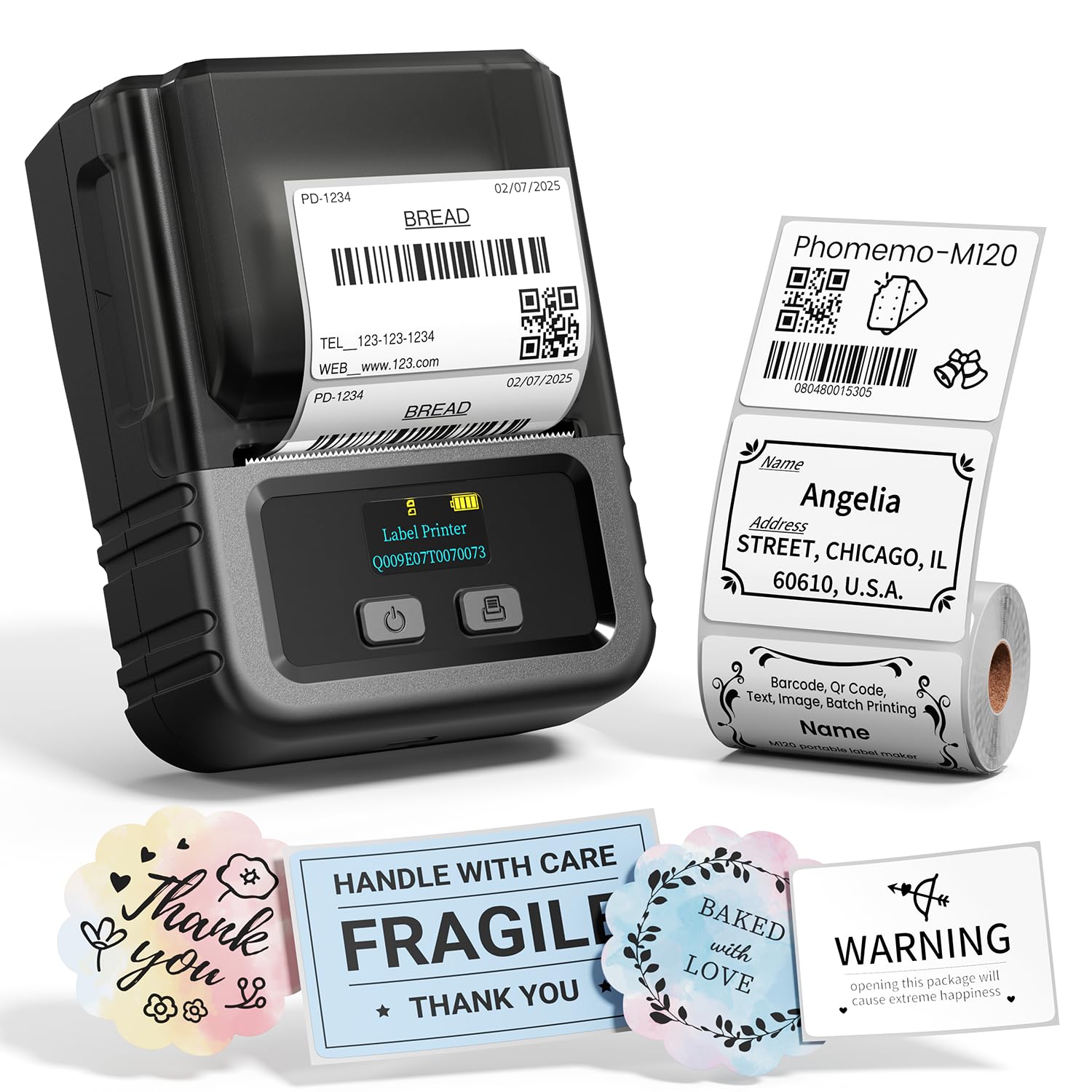
1,000+ ratings
Read Amazon ReviewsPhomemo M120 Label Printer
Choose the M120 if computer connectivity or a starter roll of 100 labels better matches your workflow. The M110's supplied three-size set may be more useful if you want to compare several compact label formats at the outset.
- The M120 supports 20–50 mm labels, Bluetooth for iOS and Android, and USB-C connections for Windows, Mac, and Chrome OS using Labelife software.
- Its description also lists OCR, voice recognition, image-to-label conversion, and a starter roll of 100 labels.
- The reviewed M110 is an app-connected Bluetooth printer with labels up to 50 mm wide and 80 mm long, and it includes three label sizes.
Is Phomemo M110 Worth It?
The Phomemo M110 Label Printer is worth considering for small businesses and home users who need compact product, price, address, or barcode labels.
Its three included label sizes, app templates, and batch-printing support make it adaptable to recurring labeling jobs.
Buy it if its 20–50 mm width and 80 mm maximum length fit your labels, and you are comfortable connecting through Print Master. Look elsewhere if you need larger shipping formats or a direct Bluetooth-settings pairing workflow.
Your review at a glance
1,000+ ratings
Read Amazon ReviewsPhomemo M110 Label Printer
A portable thermal label printer for small businesses and home users who need flexible labels, barcodes, and batch printing from a phone.
- Three included label sizes: 40 × 30 mm, 50 × 30 mm, and 50 × 80 mm.
- Prints labels 20–50 mm wide and up to 80 mm long.
- Supports text, pictures, QR codes, and barcodes, with batch printing available.
- Print Master offers ready-made templates, saved custom templates, more than 30 fonts, 500 emojis, and 40 borders.