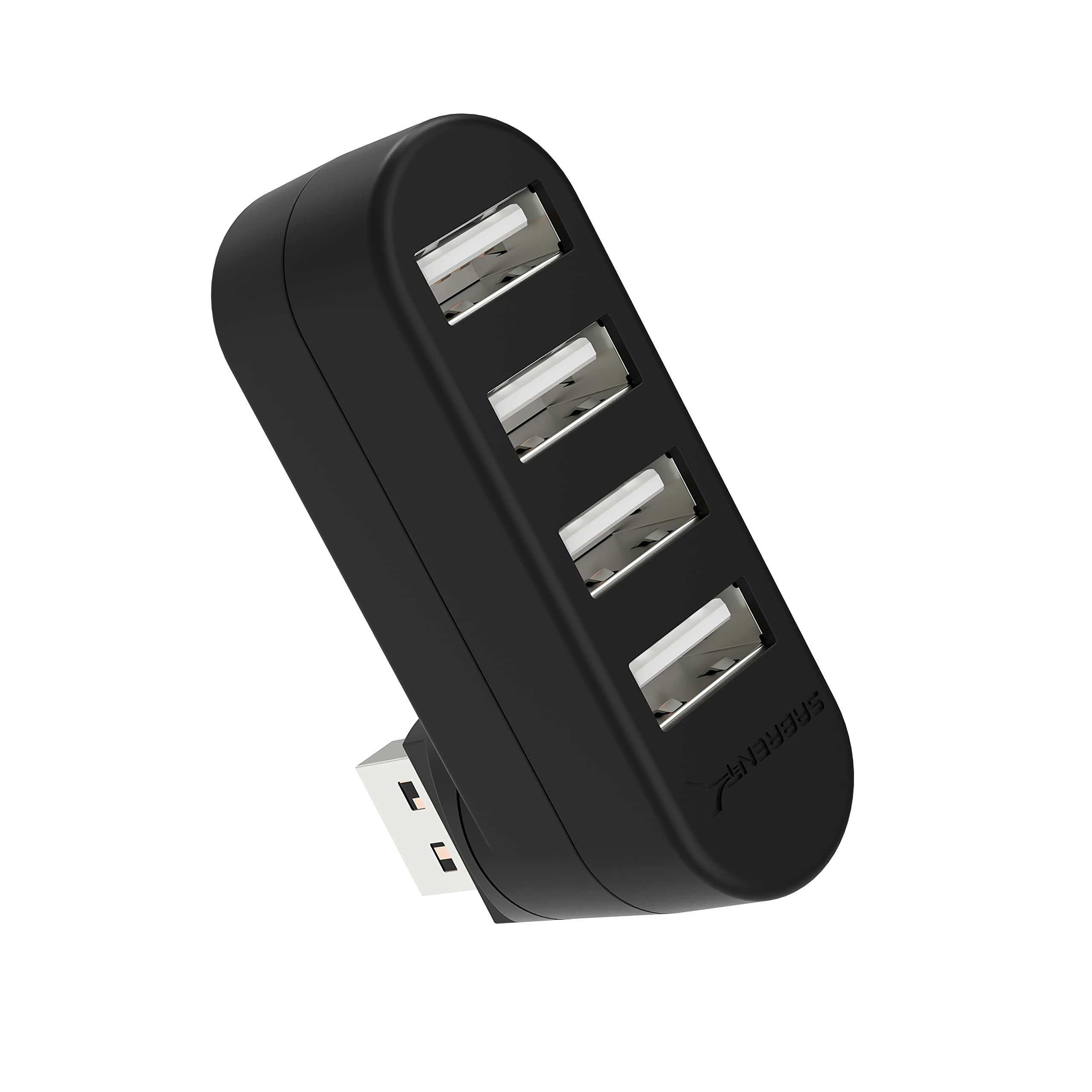
The SABRENT 4 Port USB 2.0 Hub review centers on a small, uncomplicated way to connect several USB peripherals through one compatible device port.
Its rotatable connector helps with placement, but its USB 2.0 data ceiling and explicit lack of charging support make it best suited to basic peripherals rather than charging or faster storage workflows.
SABRENT 4 Port Hub Review Summary
The quick verdict
16,000+ ratings
Read Amazon ReviewsSABRENT 4 Port USB 2.0 Hub
A compact option for adding four USB 2.0 connections to a compatible computer, especially when an adjustable connector and portability matter.
- Four USB 2.0 ports add connections to a compatible device.
- The rotatable USB connector can be positioned at 90 or 180 degrees.
- Maximum listed data transfer rate is 480 megabits per second.
- Plug-and-play, hot-swappable, and hot-pluggable operation is specified.

Pros
- Adds four ports while keeping the hub compact and lightweight.
- Rotatable connector gives buyers more flexibility in how the hub sits beside a device.
Consider before buying
- USB 2.0's 480-megabit-per-second maximum is a limitation for frequent large file transfers.
- It does not support charging, so it cannot serve as a charging hub.
Read the full review summary
This hub provides four USB 2.0 ports in a compact, lightweight plastic body, with a connector that can rotate through 90 or 180 degrees.
Plug-and-play and hot-swappable operation are intended to keep setup straightforward, and the product description lists Windows, Mac, and Linux compatibility.
At a listed maximum data rate of 480 megabits per second, it fits keyboards, mice, printers, and other modest data tasks better than workflows that depend on modern high-speed transfers.
Its strongest appeal is practical simplicity: expand one compatible USB connection into four, and adjust the connector to suit the available space.
The product is not designed to charge devices, so buyers should treat it as a data hub and confirm their computer has a compatible USB connection and enough physical clearance for the hub and attached plugs.
It makes sense when four basic connections are useful and a compact form matters more than speed or power features.
The buying factors
SABRENT 4 Port Hub Scorecard
Editorial scores reflect listed features and buyer fit; they are not laboratory measurements or customer ratings.
Port expansion
Four downstream USB 2.0 ports provide useful room for several low-demand peripherals.
Connector flexibility
The connector rotates 90 or 180 degrees, which can help with access and orientation.
Portability
The compact dimensions and one-ounce listed weight suit a travel kit or crowded desk.
Setup simplicity
Plug-and-play and hot-swappable operation point to a straightforward everyday setup.
Data speed range
The 480-megabit-per-second maximum is suitable for basic tasks but modest for large transfers.
Charging utility
Charging is explicitly unsupported, limiting its use with phones and other devices that need power.
Key Features and Specifications of SABRENT 4 Port Hub
- Four USB 2.0 ports add connections to a compatible device.
- The rotatable USB connector can be positioned at 90 or 180 degrees.
- Maximum listed data transfer rate is 480 megabits per second.
- Plug-and-play, hot-swappable, and hot-pluggable operation is specified.
- Compatibility is listed for Windows, Mac, and Linux systems.
- The black plastic hub measures 2.3 by 0.7 by 1.7 inches and weighs one ounce.
- Charging is not supported.
Pros and Cons of SABRENT 4 Port Hub
Pros
- Adds four ports while keeping the hub compact and lightweight.
- Rotatable connector gives buyers more flexibility in how the hub sits beside a device.
- Designed for straightforward connection without a complicated setup.
- Listed support for Windows, Mac, and Linux covers common desktop platforms.
Consider before buying
- USB 2.0's 480-megabit-per-second maximum is a limitation for frequent large file transfers.
- It does not support charging, so it cannot serve as a charging hub.
- The compact form may leave attached plugs close together; check the spacing and nearby clearance for the devices you plan to connect.
Who Should Buy SABRENT 4 Port Hub?
Good fit
Consider the SABRENT 4 Port Hub if you need a few extra connections for a keyboard, mouse, printer, or other everyday USB peripherals.
Its light, compact body is convenient for a desk drawer or travel pouch, while the adjustable connector can help orient it around the available port and nearby surfaces.
It is a sensible fit when your priority is uncomplicated port expansion and the devices you connect do not need charging from the hub.
Before choosing it, confirm the host device has a compatible USB port and that the hub's rotating connector will fit the layout. For storage tasks, compare the 480-megabit-per-second ceiling with the transfer speed your routine requires.
Who should skip it
Look elsewhere if you need a hub to charge a phone, tablet, or other USB device; charging is not supported here.
This is not the right match if your regular work depends on high-speed transfers from external storage. Check the speed requirements of your drives and workflow before settling on a USB 2.0 hub.
What the SABRENT 4 Port Hub means for your setup
Four connections for everyday peripherals
Four ports can simplify a setup built around low-demand accessories by letting several peripherals share one host connection.
Think through which devices will stay connected at once, and confirm their plugs can fit comfortably around the hub's compact body.
A connector that changes orientation
The ability to rotate the USB connector through 90 or 180 degrees gives some flexibility when the host port faces an awkward direction.
That can help with positioning, but the best fit still depends on the computer's port location and the surrounding space.
USB 2.0 sets the pace
The maximum listed rate of 480 megabits per second makes this a basic connectivity tool.
A keyboard or mouse places little emphasis on transfer speed, while large files and frequent storage transfers make the speed ceiling more relevant to the buying decision.
Keep charging separate
The product is explicitly described as not supporting charging. Buyers who want to power a phone or tablet should choose equipment intended for charging, while this hub can be considered for connecting data peripherals.
Alternatives to SABRENT 4 Port Hub
USB Hubs alternative

2,000+ ratings
Read Amazon ReviewsSABRENT 4-Port Aluminum USB 3.0 Hub (HB-MC3B)
Choose the reviewed hub for a compact USB 2.0 connection with a rotating plug and basic peripheral use.
Consider the HB-MC3B if faster transfers or the longer cable better suit your setup; compare the physical arrangement you need before deciding.
- The HB-MC3B also has four ports, but uses USB 3.0 and lists transfer speeds up to 5 gigabits per second.
- Its description also lists backward compatibility with USB 2.0 and 1.1, plug-and-play operation, and a 2.5-foot cable.
- The SABRENT 4 Port Hub offers four USB 2.0 ports, a rotatable connector, and a maximum listed data rate of 480 megabits per second; it does not support charging.
USB Hubs alternative
9,000+ ratings
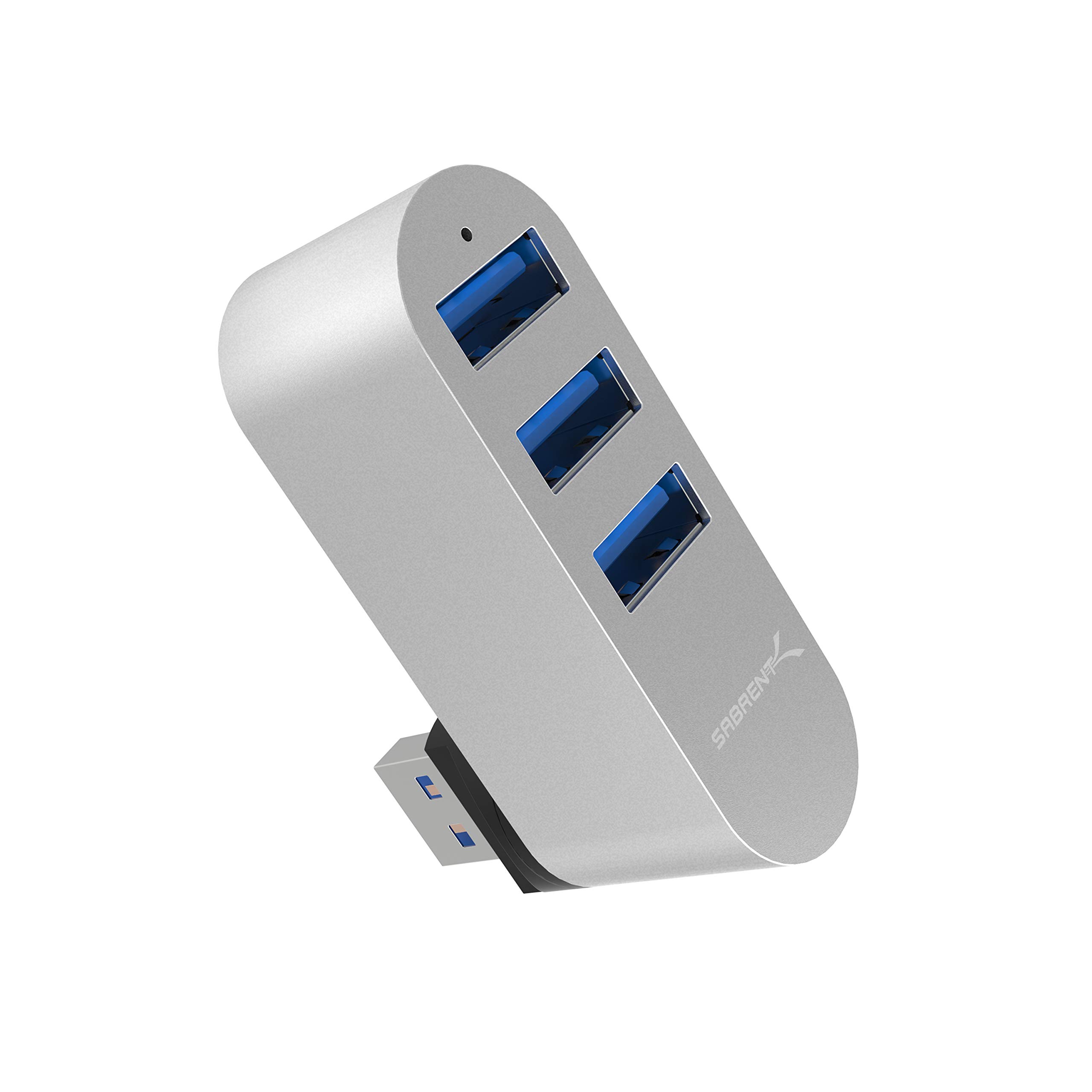
Read Amazon ReviewsSABRENT 3 Port Aluminum Mini USB 3.0 Hub (HB-R3MC)
The reviewed model is the better fit if four ports are central to your needs and USB 2.0 is sufficient.
Consider the HB-R3MC if three ports meet your needs and its USB 3.0 interface and aluminum mini design are a closer fit.
- The HB-R3MC provides three USB 3.0 ports in an aluminum mini design and also has a rotatable connector.
- Its description lists plug-and-play and hot-swappable use with Windows, Mac, and Linux.
- The SABRENT 4 Port Hub supplies four USB 2.0 ports and has a connector that rotates 90 or 180 degrees.
Is SABRENT 4 Port Hub Worth It?
The SABRENT 4 Port USB 2.0 Hub is worth considering for buyers who want four compact, easy-to-use connections for everyday peripherals and value a rotatable plug.
Its modest USB 2.0 speed and lack of charging support define the right use case.
Choose it when simple port expansion is the goal and your devices fit that role. If you regularly move large files or need power for connected devices, compare a hub designed for those needs before buying.
Your review at a glance
16,000+ ratings
Read Amazon ReviewsSABRENT 4 Port USB 2.0 Hub
A compact option for adding four USB 2.0 connections to a compatible computer, especially when an adjustable connector and portability matter.
- Four USB 2.0 ports add connections to a compatible device.
- The rotatable USB connector can be positioned at 90 or 180 degrees.
- Maximum listed data transfer rate is 480 megabits per second.
- Plug-and-play, hot-swappable, and hot-pluggable operation is specified.